Your CRT Just Arrived: Unboxing, First Power-On & Care
Let it acclimate, inspect it before plugging in, degauss and warm it up, and keep it looking great for years.
Your CRT made it! Before you plug it in, a few minutes of patience will protect the set and help you see it at its best. Here’s what we recommend for every unit we ship.
1. Let it acclimate before powering on
If your CRT spent time in a cold truck, or came from a cold porch into a warm house, moisture can condense inside, on wiring and high-voltage parts. That’s the real danger, not the cold itself.
- Let it sit indoors at room temperature for several hours, ideally overnight, before you power it on.
- If you can feel condensation on the box or the set, wait a full day.
- Leave it in the box while it acclimates if you can.
2. Inspect it before you plug it in
- Gently tilt and listen. A rattle can mean something shifted in transit.
- Look through the vents at the tube’s neck (the narrow back of the tube) for cracks or a loose socket.
- Check the case for cracks or crushed corners, and photograph the box and packing if anything looks off.
Don’t power on a unit with obvious tube or neck damage. Report it within 14 days on our Returns & Damage page with photos. We’ll send a prepaid return label and refund you once it’s back.
3. First power-on, degauss, and warm-up
- Degaussing: most CRTs automatically degauss (that “thunk” or hum at power-on) to clear magnetization from moving the set. Color blotches right after a move are normal and usually clear after a few power cycles or a manual degauss from the menu.
- Space out degauss cycles. The degauss circuit needs to cool down, so wait around 15–20 minutes between manual degausses, or they won’t do much.
- Keep magnets away: speakers, subwoofers, and magnetic toys near the screen can cause color patches. Never wave a magnet at the screen.
- Warm-up: brightness, color, and convergence settle as the set warms. Give it 15–30 minutes before judging the picture or making adjustments.
4. Check it with test patterns
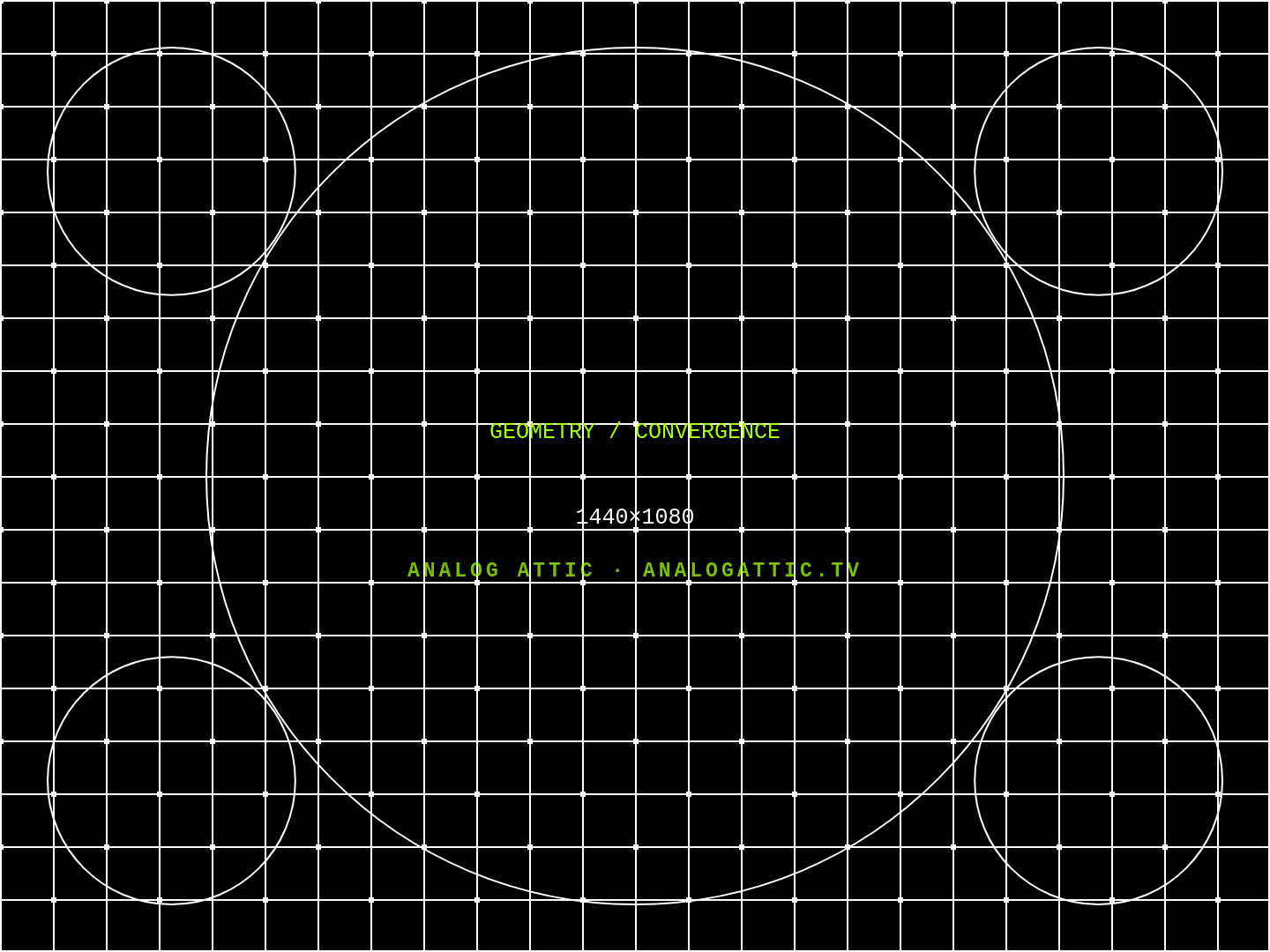
Download our free CRT test patterns and show them full screen:
- Grid: lines should be straight and the circles round. Colored fringes on the white lines mean convergence is a bit off.
- Full red, green, blue, white: each should be an even color edge to edge. Blotches usually mean it needs another degauss.
- Grayscale: set brightness so the darkest boxes are just distinguishable.
Small geometry tweaks (size, position, pincushion) are normal, using the on-screen menu.
5. Opening the case: know before you go
The inside of a CRT holds dangerous high voltage that can stay charged for days after unplugging. Most adjustments are in the on-screen or service menu, but some sets need the case opened for full geometry and convergence calibration. If yours does, read our CRT Safety guide first and follow established safety practices, or have a local tech do it. If something seems wrong with a unit you bought from us, email us first.
Moving and lifting
- Lift from underneath with your legs, and get a second person for anything 20” and up.
- Never lift by the back of the case or near the neck of the tube. That’s the fragile part.
- For long moves, CRTs travel best face-down on soft padding with nothing touching the neck. Protect the screen with a soft cloth.
Cleaning the screen
Many monitor screens, especially Sony Trinitron and Mitsubishi Diamondtron PC monitors, have a delicate anti-glare coating that household cleaners can permanently damage. Even “ammonia-free” glass cleaners can strip it.
- Use a soft microfiber cloth lightly dampened with distilled water. A tiny drop of dish soap is fine for stubborn spots.
- Spray the cloth, not the screen, and wipe gently.
- No ammonia, no alcohol, no paper towels.
Placement and long life
- Give it air. Leave about 4 inches around the vents, and don’t set it on carpet or a bed.
- Avoid burn-in: don’t leave bright, static images up for hours. Use a screensaver or turn it off when you’re done, and keep brightness and contrast only as high as you need.
- Some sets (like the PVM-2950Q) keep standby circuits powered. Unplug them if they’ll sit for a long time.
Treat it right and a good CRT will keep going for years. If you ever have a question about yours, we’re happy to help.