Hooking Up Consoles to a CRT: Composite to RGB (and Modern Consoles)
The signal ladder, why sync matters on PVMs and BVMs, which cables are safe, and how to get HD and HDMI-only consoles onto a tube.
The cable you use matters as much as the CRT. The same console can look smeary and dull over composite and stunning over RGB on the same monitor. Here’s a plain-English rundown of every connection, from worst to best, plus the stuff that trips people up.
The signal ladder

- RF (coax): video and audio squeezed onto one antenna signal. Works on the oldest TVs, but it’s the softest and noisiest picture.
- Composite (yellow RCA): brightness, color, and sync all share one wire, so they bleed into each other (dot crawl, rainbowing).
- S-Video: separates color from brightness. A big jump in sharpness for very little effort.
- Component (YPbPr): three wires. On HD-era consoles it’s the way to get progressive scan (480p) and HD.
- RGB: red, green, and blue each get their own wire, plus sync. The monitor shows the image the way the console made it. This is what PVMs and BVMs are famous for.
RGB on US consoles
Most US TVs never had RGB inputs, but lots of consoles quietly output RGB from their multi-out port. With an RGB cable (usually SCART-based), and a PVM/BVM that takes RGB, you get the cleanest picture possible from systems like the SNES, Genesis, Saturn, PS1, and PS2.
Sync: the part everyone gets stuck on
RGB carries only color. The monitor also needs a sync signal to lock onto, and consoles provide it in different ways:
- Csync (composite sync): a clean, sync-only signal. This is what you want, and it’s what BVMs generally require.
- Sync on luma: sync taken from the S-Video brightness line. Works on most PVMs and is the go-to for consoles without true csync, like the PS1 and PS2.
- Composite video as sync: uses the whole composite video signal. It works on many sets but is the least clean option.
- TTL sync: a much higher voltage some consoles (like the Genesis) put out. It needs the right resistor in the cable, or it can damage equipment.
If your PVM shows a green or rolling picture, or “no sync,” with an RGB cable, it’s almost always a sync mismatch, not a broken monitor.
Buy good cables
Proper RGB cables have the correct resistors and capacitors built in for each console. Cheap ones often leave them out or wire them wrong, and some consoles (a PAL SNES, for example) carry 12 volts on the pin a csync cable expects. Buy from reputable cable makers, and if you’re not sure what a cable does, ask before you plug it into a $1,000+ monitor.
Sync strippers and combiners
- Sync stripper: pulls clean csync out of a composite video signal. Handy when a source only provides composite sync and your monitor wants csync.
- Sync combiner: merges the separate horizontal and vertical sync of a VGA signal (like a Dreamcast VGA box or a PC) into the single csync many pro monitors need. Don’t just splice H and V sync together with a Y-cable. That mangles the signal and can damage the source. Use a proper combiner.
240p, 480i, and 480p: which console does what
- 240p: almost everything up through the 5th generation (NES, SNES, Genesis, Saturn, PS1, N64). It’s what CRTs do best and what modern TVs scale worst.
- 480i: many PS2, GameCube, and Wii games, and menus on older systems.
- 480p: Dreamcast (via VGA), and many PS2, GameCube, Wii, and Xbox games over component. You need a multiformat monitor (like a PVM-L5 or BVM D-series) or a 31 kHz-capable set for 480p.
HD and HDMI-only consoles on a CRT
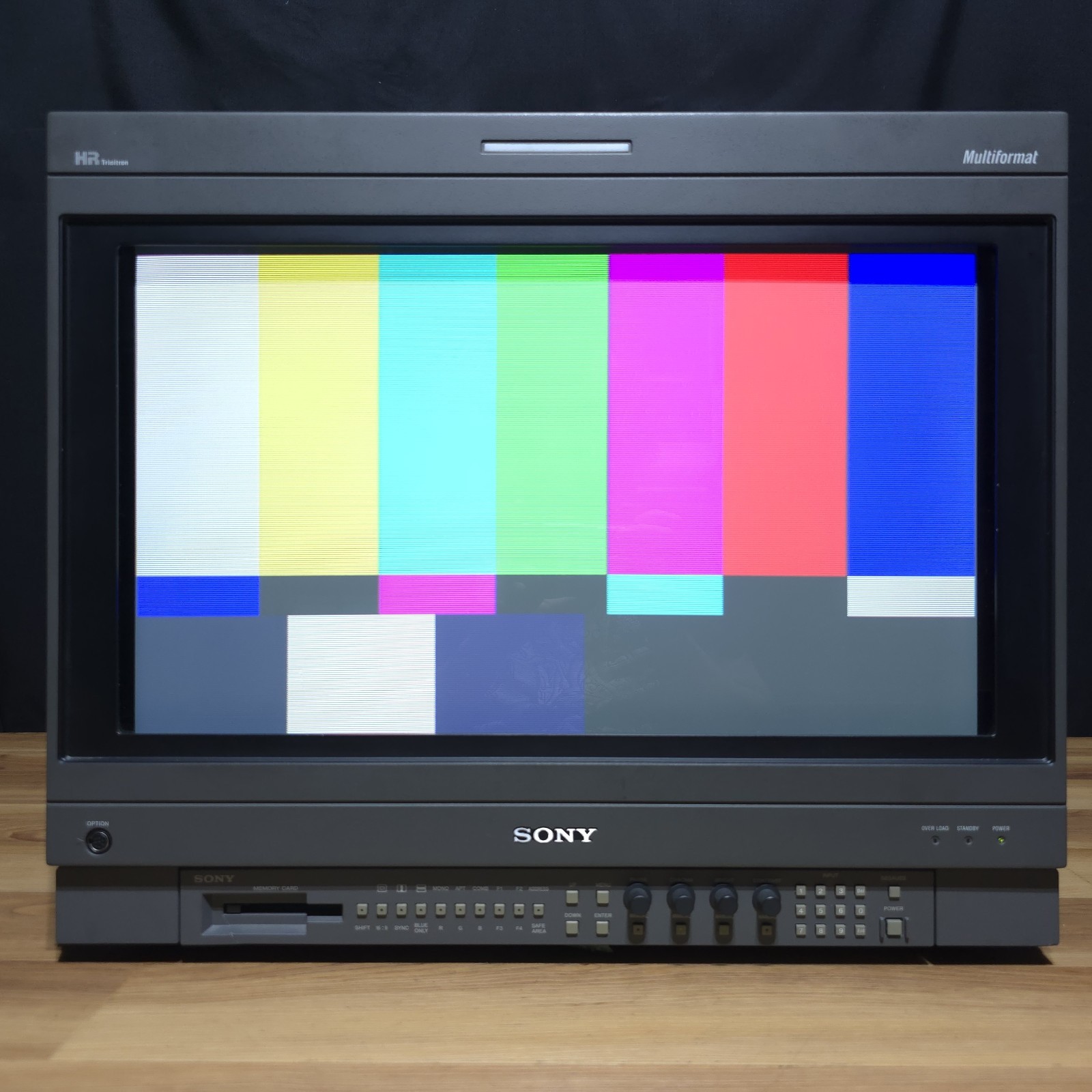
- PS3/Xbox 360 era: component output reaches 720p and 1080i, which multiformat pro monitors display beautifully.
- Nintendo Switch: has a 480p output setting. Pair it with an HDMI-to-VGA (or component) converter and a 31 kHz-capable monitor.
- PS5 / Xbox Series: these output HD resolutions, so you’ll want a multiformat monitor that takes 720p/1080i. On a BVM with an HD-SDI card, an HDMI-to-SDI converter is one of the cleanest routes.
About lag: simple HDMI-to-VGA converters (DACs) don’t buffer or scale, so they add essentially no lag. The catch is that the source has to output a resolution your CRT accepts. Boxes that scale to component can add a frame or two. Look for converters that pass the signal straight through.
MiSTer FPGA
MiSTer is a fantastic match for CRTs because it outputs authentic 15 kHz video. Common setups:
- An analog I/O board’s VGA port with a VGA-to-BNC cable into a PVM/BVM, or an RGB SCART cable to a consumer set (with a resistor on the sync line).
- Direct Video through an HDMI DAC dongle.
- Settings in
mister.inilikecomposite_sync=1(RGB SCART/csync),ypbpr=1(component), ordirect_video=1(HDMI DAC).
Check the MiSTer CRT guide for current settings. Avoid experimenting with extreme custom modes on an expensive monitor.
Quick picks
- Consumer CRT TV, retro consoles: S-Video if your TV has it (huge upgrade over composite), or component on HD-era consoles.
- PVM, classic consoles: RGB with the right sync for each console (luma for PS1/PS2, csync where available).
- BVM: RGB with true csync, or SDI with the right card.
- Modern consoles: a multiformat monitor plus a clean HDMI converter.
Questions about your specific setup? Email us. We’ll tell you exactly what you need.